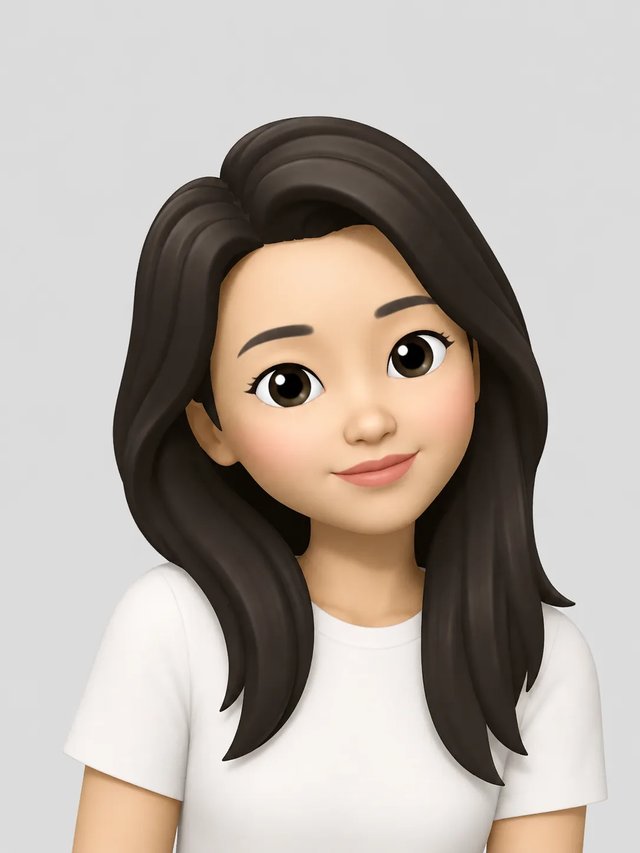
Memoji Stickers made from your own memoji
Turn a memoji of you into a pack of 9 transparent stickers for WhatsApp, Telegram, iMessage and Discord, on any phone with a browser.
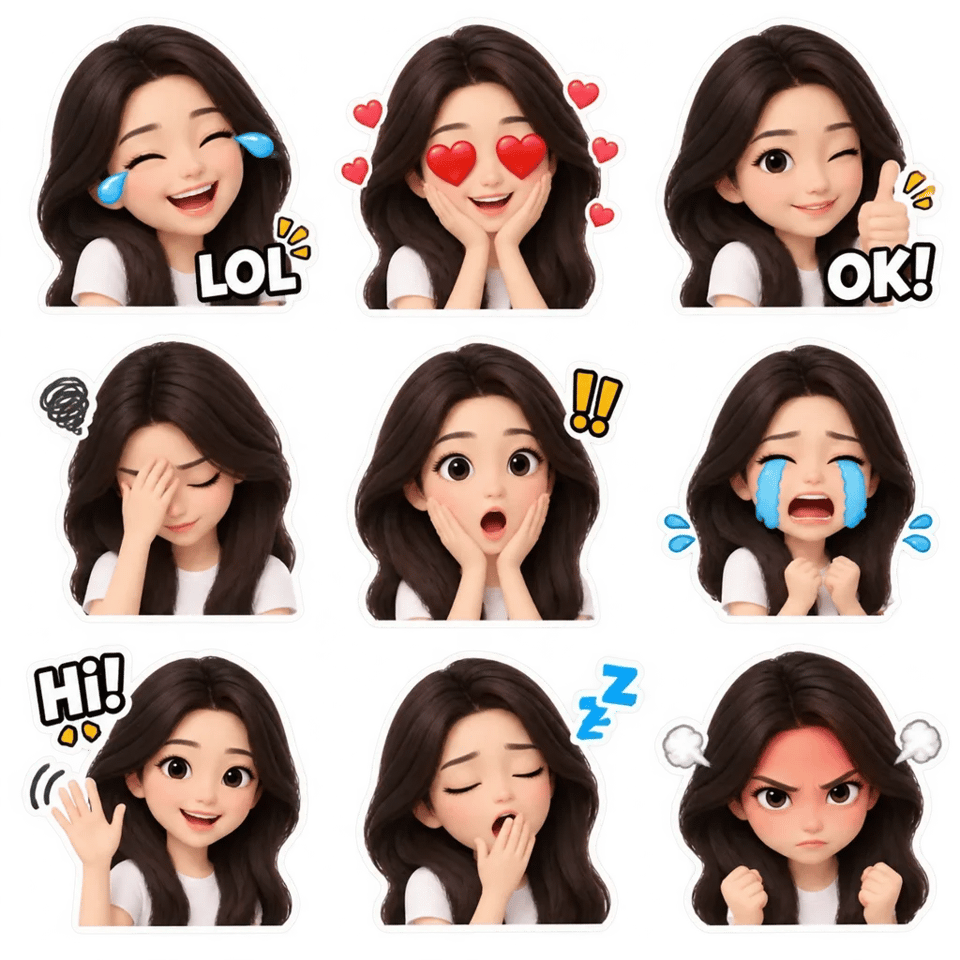
Upload a memoji picture, or pick one you already made here. This memoji sticker maker draws one 3×3 sheet of the same character laughing, waving, facepalming and more, then cuts it into separate stickers that are ready to add to your chat apps. No app to install, and no iPhone needed.
Make my sticker pack- 9 stickers of your memoji in one pack
- Transparent background, cut in your browser
- Sized for WhatsApp, Telegram, iMessage and Discord
- Works on Android and iPhone
Make memoji stickers from your memoji
Upload a memoji picture or pick one you made here. One sheet costs 3 credits and comes back as 9 stickers.
Your memoji
JPG / PNG / WebPNo memoji yet? Make one from a selfie
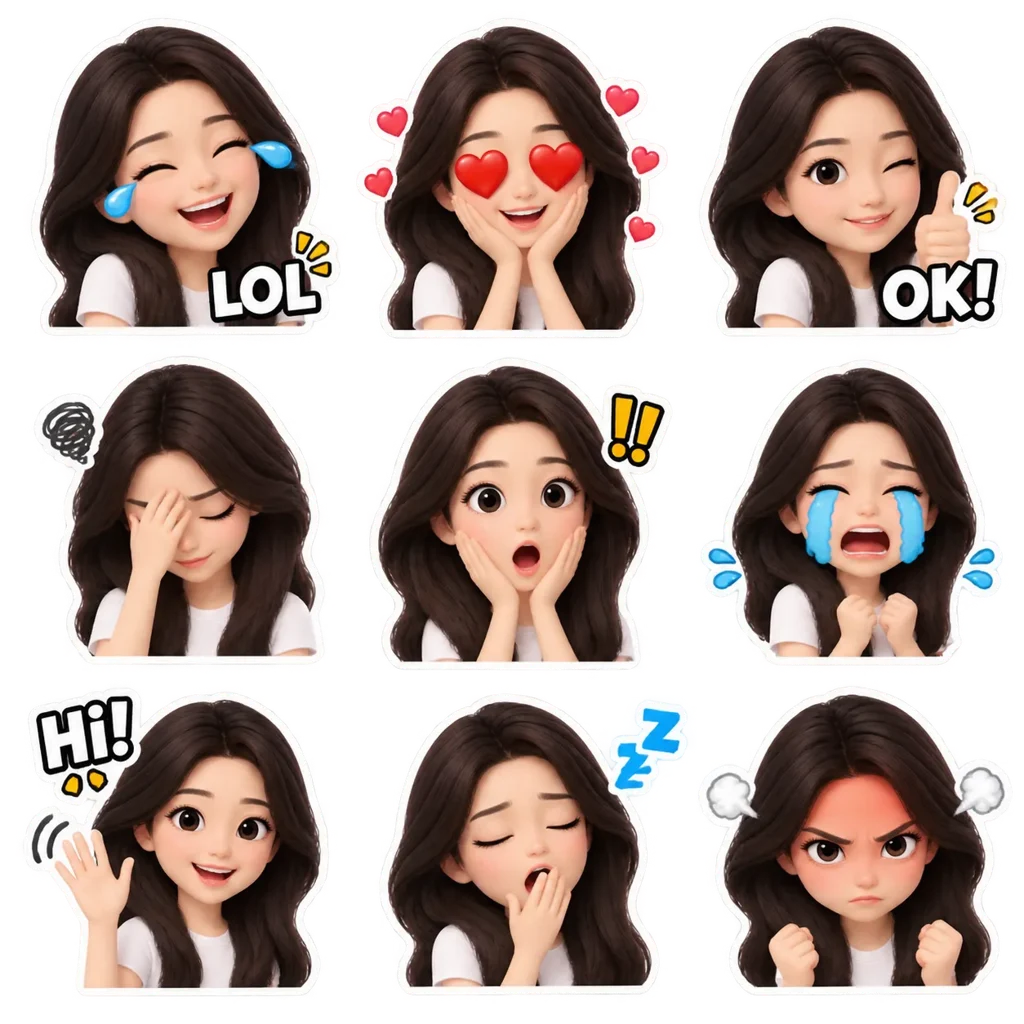
LOL, OK!, facepalm, heart eyes and more, all with your face. Transparent stickers for WhatsApp, Telegram, iMessage and Discord.
Memoji sticker pack examples
Custom memoji stickers in three sets, each one 3×3 sheet of the same character. These examples use a sample memoji; yours will have your face, hair and glasses.
Everyday
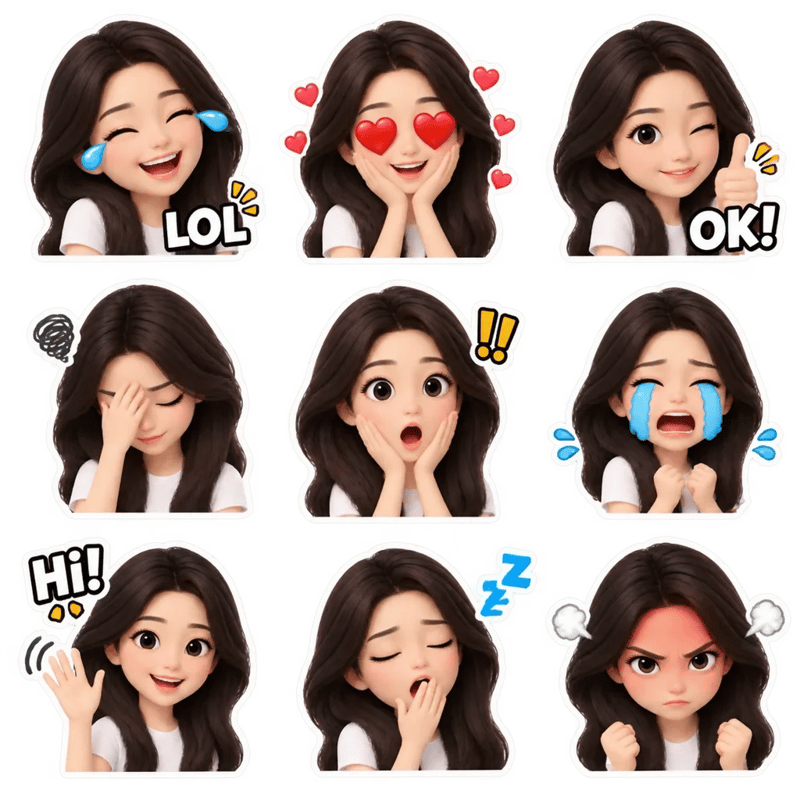
The set for daily chats: laughing with tears and "LOL", heart eyes, a thumbs up with "OK!", facepalm, shocked, crying, waving with "Hi!", a sleepy yawn and red-faced angry. It is the default when you press the button.
Work chat
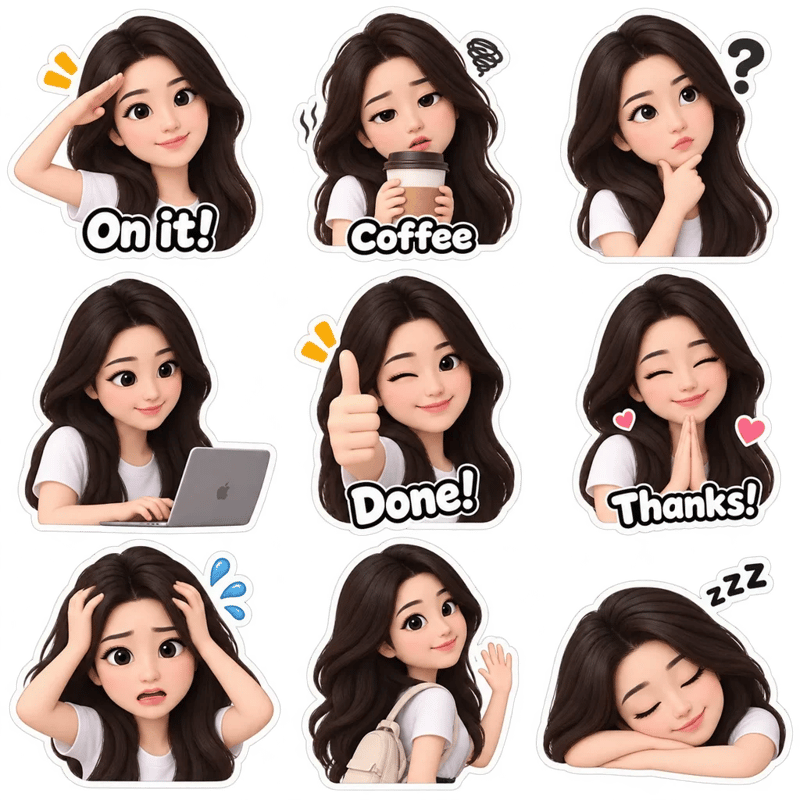
For team chats: a salute with "On it!", a big coffee with "Coffee", thinking, typing fast, a thumbs up with "Done!", hands together with "Thanks!", stressed, waving goodbye and asleep on the desk.
Love & friends
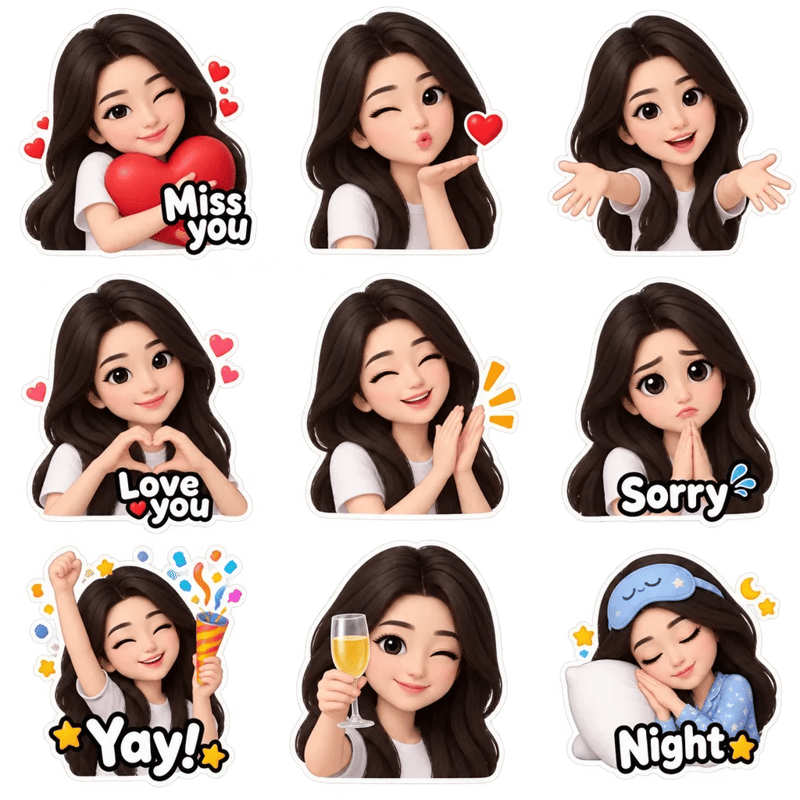
For partners and close friends: hugging a heart with "Miss you", blowing a kiss, arms open for a hug, a hand heart with "Love you", clapping proudly, puppy eyes with "Sorry", a party popper with "Yay!", raising a glass and pajamas with "Night".
How to make memoji stickers
From memoji to sticker in your chat app, all in the browser.
- 1
Pick or upload your memoji
Choose a memoji you made on this site from your recent images, or upload a memoji picture from your phone. A front view with the whole head in the frame works best. Only have a selfie? Make a memoji from it first.
- 2
Choose a set and the words
Press the button for the Everyday set, or open Customize to pick Work chat or Love & friends and to turn the short words on the stickers on or off.
- 3
Get 9 transparent stickers
The tool draws one 3×3 sheet of your character, then cuts it into nine stickers with the background removed, right in your browser. The sheet is also saved to My Assets.
- 4
Add them to your chat app
Pick the app you use and download the set in its size. The steps for that app sit right next to the stickers, and the WhatsApp and other-app guides follow below.
Memoji sticker meanings
What each of the nine Everyday stickers says and when to send it. If a friend sent you one that looks like these, here is the memoji sticker meaning it usually carries.
- LOL, laughing with tears
- That's hilarious
- Reply to a joke or a funny photo.
- Heart eyes
- I love this
- A new outfit, a cute pet, good news.
- OK! thumbs up
- Sounds good
- Agree to a plan without typing.
- Facepalm
- I can't believe this
- Your own mistake, or a friend's.
- Shocked, mouth open
- No way
- Surprising news or gossip.
- Crying, big tears
- I'm so sad
- Missed plans, sad endings, or crying from laughing too.
- Hi! waving
- Hello
- Start a chat or greet a new group.
- Sleepy yawn
- I'm tired
- Late nights and early mornings, or a good-night.
- Angry with steam
- I'm fuming
- Playful annoyance, like a friend who is late again.
How to send memoji stickers on WhatsApp
WhatsApp takes 512×512 stickers, and each sticker in the WhatsApp set is already that size, in WebP.
- 1
Download the WhatsApp set
Choose WhatsApp under the stickers and press Download all 9. On a phone you can also save or share all nine at once.
- 2
Add them with WhatsApp's Create
Open any chat, tap the sticker icon, then tap Create and pick one of the stickers from your photos.
- 3
Send them in any chat
Once added, your memoji stickers sit in the sticker tray next to the ones you already have, and you can send them in any chat or group like any other sticker.
Memoji stickers for Telegram, iMessage and Discord
Each app wants a different size and file type. Pick the app next to your stickers and the download matches it. For an Instagram story, save the iMessage set and add a sticker from your camera roll.
| App | What you download | How to add them |
|---|---|---|
| Telegram | 9 stickers, 512×512 PNG | Open the @Stickers bot, send /newpack, then send each sticker as a file and pick an emoji for it. |
| iMessage | 9 stickers, PNG at the size they were cut | Save the stickers to Photos, open one, touch and hold the memoji and tap Add Sticker. |
| Discord | 9 emoji, 128×128 PNG | Open Server Settings, then Emoji, then Upload Emoji; use each one as :name: in chat. |
iPhone memoji stickers vs. stickers made here
An iPhone already turns your Memoji into stickers. Here is when that is enough, and when a sticker pack helps.
When you create a Memoji in Messages on an iPhone or iPad, Apple adds a set of stickers of it to the keyboard, and you can use them in Messages, Mail and some other apps. They live in Apple's keyboard, so there is no file of each sticker to import into Telegram or Discord, and an Android phone can't make or use them.
The stickers made here are image files. Each one has a transparent background and the size the app asks for, so you can add them to WhatsApp, Telegram or Discord as stickers of their own, keep them in your photos and use them on an Android phone. They start from a memoji picture, so they look like the character you made, in poses Apple's set doesn't have, with short words such as "LOL" or "On it!" if you want them.
Memoji stickers for Android
Android has no Memoji, but it can use memoji stickers like any others.
Apple has never shipped Memoji for Android, and the memoji sticker apps in the Play Store bundle someone else's characters. To make stickers of yourself, make a memoji picture from a selfie on this site in your phone's browser, then turn it into a sticker pack here. The files stay in your gallery, ready for WhatsApp, Telegram or any other app that takes images.
Memoji stickers questions
Each sticker sheet costs 3 credits, the same as one memoji. A new account gets 6 free credits, enough for one memoji and one sticker pack. Sheets made with the free credits carry a watermark, which any credit pack removes. Credits never expire, and there is no subscription.
Yes. The tool runs in any phone or computer browser, so memoji stickers for Android phones work the same way. Without an iPhone you can make the memoji itself here too, from a selfie, and then turn it into stickers.
No. The stickers are still images. Each sheet gives you nine poses of your memoji; to change one pose, make the whole sheet again with the same or another set.
Yes. The stickers are drawn from a memoji picture, so start from one. If you only have a selfie, make a memoji from it on the memoji creator first; while you are signed in, it then shows up in your recent images here.
Sheets made before you buy credits carry a small watermark. Buy any credit pack and it is removed from everything you made. A sheet drawn from a memoji that was still watermarked can keep faint traces of it; make the sheet again after buying for a clean set.
Yes. The Telegram, iMessage and Discord downloads give you each sticker as a PNG with a transparent background, and the iMessage set keeps each sticker at the size it was cut, with no resizing. The WhatsApp download is WebP because that is what WhatsApp uses.
No. Memoji is a trademark of Apple Inc. This is an independent tool that makes stickers in a similar style from your memoji picture.
Related Memoji Generator tools
Make the memoji first, or see what else it can do.